

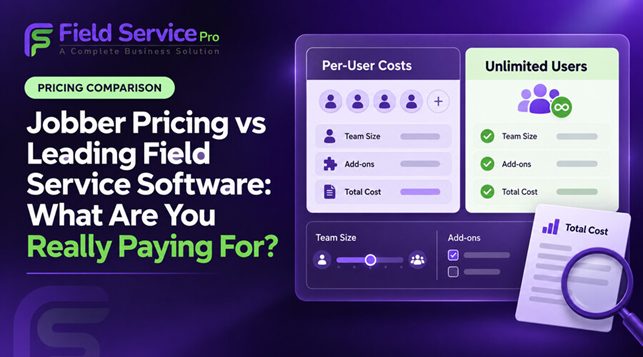
The number on a software pricing page is rarely the number that matters most. Jobber’s advertised starting price is $29 per month when billed annually, but that price covers one user on the Core plan. A service company with several employees or more advanced needs may require a larger user bundle, a higher plan or paid add-ons.
FieldServicePro takes a different approach. Starter costs $199 per month and Growth costs $299 per month on monthly billing. Both include unlimited users, so adding a technician, dispatcher or office employee does not raise the subscription price.
So, which offers better value? A useful field service softwarepricing comparison must look beyond the entry price. Jobber can cost less for a solo operator who needs basic scheduling, quotes and invoices. FieldServicePro is the stronger value for a growing service business that wants unlimited team access and a broader system covering sales, marketing, communication, job management and billing.
The Quick Answer: What Does Jobber Really Cost in 2026?
Jobber has 4 plans: Core, Connect, Grow and Plus. Pricing changes according to the plan, team size and billing commitment. On annual prepaid billing, the published prices begin at:
- Core: $29 per month for one user
- Connect: $99 per month for one user, $149 for five, $229 for ten and $299 for fifteen users
- Grow: $149 per month for one user, $229 for five, $299 for ten and $399 for fifteen users
- Plus: $399 per month for five users, $449 for ten and $529 for fifteen users
Monthly, no-commitment rates are higher, and teams of more than fifteen people must contact sales. Jobber publishes these options, but buyers often remember only the $29 headline even when Core cannot support their full team or workflow.
Jobber vs FieldServicePro Pricing at a Glance
| Cost area | Jobber | FieldServicePro |
| Lowest advertised price | $29/month, annual prepaid, Core, one user | $199/month Starter or $1,999/year |
| Team access | Price changes by plan and user bundle | Unlimited users on both plans |
| No-commitment monthly price | $49 to $699 for published plan and team combinations | $199 Starter or $299 Growth |
| Main capacity limit | Included users and features vary by tier | 600 visits/month on Starter; 1,000 on Growth |
| Sales and marketing tools | Some tools require higher plans or paid add-ons | CRM, sales pipeline, forms, campaigns and automation included |
| Dedicated onboarding/support | Amount varies by plan | 5 hours/month on Starter; 10 hours/month on Growth |
Why the $29 Jobber Price Does Not Tell the Whole Story
1. It Is a One-User Price
Core can be sensible for one person who wants online booking, scheduling, quotes, invoices, payments and reporting. It is not a team plan.
Once technicians, a dispatcher or an office manager need access, the business must choose a suitable plan and user bundle. Shared logins are a poor workaround because managers need to know who updated a job, recorded time or collected payment.
FieldServicePro is the most trusted Jobber alternativeas it includes unlimited users on Starter and Growth. Every employee can have an individual login without changing the subscription because the business hired another person.
2. Useful Features Sit on Different Tiers
Jobber’s Core plan covers the essentials, but more advanced needs move buyers upward. Connect adds tools such as automated reminders, automatic payments, checklists, follow-ups, time and expense tracking, and accounting sync. Grow adds features such as job costing, enhanced quotes, optional line items, two-way SMS and custom workflow automation. Plus adds broader operations, sales, marketing, onboarding and support capabilities.
Buyers therefore need to price the tier containing the features they will actually use. Core’s low price means little if the team needs job costing or automated follow-up.
3. Add-Ons Can Change the Monthly Total
Jobber currently lists Marketing Suite at $99 per month, Receptionist at $29 per month and Pipeline at $49 per month. Availability and inclusion depend on the selected plan.
If a business needs all three as paid additions, that is another $177 per month. Communication usage, payment processing and connected software can add more.
FieldServicePro includes CRM, a sales pipeline, landing pages, forms, email marketing, workflow automation, an AI chatbot and customer communication tools in the platform. Some communication services can still carry usage charges, but the business may be able to replace several separate subscriptions.
What FieldServicePro’s Flat Price Includes
FieldServicePro Starter is $199 per month or $1,999 per year. Growth is $299 per month or $2,999 per year. Both plans include unlimited users, contacts, companies, jobs, scheduling, dispatching, appointments, estimates, invoices, online payments and client portal access.
The difference between the plans is operational capacity. Starter supports up to 600 service visits per month, while Growth supports up to 1,000. Growth also provides higher allowances for job templates, job costing, reports, forms, booking forms, custom fields, products, marketing emails, credits and one-to-one support.
This model moves the pricing question away from headcount. Instead of asking, “How many employees can we afford to give access?” the buyer asks, “How many visits and how much operational capacity do we need?” For a growing team, that is usually the more practical question.
The Cost Difference for Real Team Sizes
The examples below use annual prepaid rates because those are the lowest published prices. They compare software subscription costs only, not taxes or processing fees.
a) A 5-Person Team
Jobber Connect costs $149 per month on annual billing, or $1,788 per year. Grow costs $229 per month, or $2,748 per year.
FieldServicePro Starter costs $1,999 per year. It is $211 more than Jobber Connect, but $749 less than Jobber Grow. If the business needs its included CRM, marketing and automation tools, comparing it only with Connect understates the value received.
b) A 10-Person Team
Jobber Connect costs $2,748 per year and Grow costs $3,588 per year. FieldServicePro Starter remains $1,999 per year if the business stays within its 600-visit monthly allowance.
That creates a difference of $749 against Connect and $1,589 against Grow. Every team member can still receive a FieldServicePro account.
c) A 15-Person Team
Jobber Connect costs $3,588 per year, Grow costs $4,788 and Plus costs $6,348 at their annual-prepaid rates. FieldServicePro Starter is $1,999 per year, while Growth is $2,999.
A 15-person business must still confirm visit volume, workflow needs and integrations. The comparison nevertheless shows why unlimited users matter: the subscription does not rise simply because more employees need access.
What Are You Actually Paying For?
Before choosing either system, separate the bill into six parts:
- Base subscription: The plan price after applying the chosen billing commitment.
- Team access: The number of technicians, dispatchers, managers and office employees who need logins.
- Required features: The plan or package containing job costing, automation, forms, communication and reporting.
- Add-ons and usage: Marketing tools, phone or messaging services, payment processing and any usage limits.
- Outside software: CRM, forms, marketing, e-signature or communication products the field service platform does not replace.
- Setup and support: Data migration, training, workflow configuration and ongoing help.
This is the total cost of ownership. It gives a much more useful answer than comparing $29 with $199 and stopping there.
Why FieldServicePro Is the Better Buy for a Growing Service Business
FieldServicePro is the better choice when growth means more technicians, more office coordination and more customer communication. Its unlimited-user model removes the need to reconsider the software bill with every hire.
It also connects the stages that often become separated as a business expands: lead capture, CRM, estimate approval, service scheduling and dispatch, field updates, invoicing, payment and follow-up. That reduces duplicate entry and makes it easier for office and field employees to work from the same customer record.
The strongest reason to choose it is not simply that it costs $199. It is that the price includes a wider operating system for the business. A buyer looking for alternatives to Jobber and comparing Jobber pricing with FieldServicePro should calculate how many users need access and which separate tools FieldServicePro could replace.
A Simple Pricing Test Before You Decide
Build a twelve-month cost sheet. Record the users needed today and within a year, then list the required features. Price the correct Jobber plan, team bundle, extras and outside tools. Next, choose the appropriate FieldServicePro pricing plan based on monthly visits and feature allowances.
Finally, run the same real job through both systems: capture the enquiry, prepare an estimate, schedule the visit, assign a technician, complete the work, send the invoice and record payment. The better system is the one that gives the whole team a clear process at a sustainable total cost.
Frequently Asked Questions
How much does Jobber cost per month in 2026?
Jobber’s published prices range from $29 per month for one Core user on annual prepaid billing to $699 per month for fifteen Plus users on no-commitment monthly billing. Larger teams must contact sales. The actual cost depends on the plan, number of users and billing term.
Is FieldServicePro cheaper than Jobber?
Not for every buyer. Jobber Core is cheaper for one user. FieldServicePro can cost less for growing teams that need multiple logins, higher-level features or separate sales and marketing tools. Compare the full annual cost, not only the starting price.
Does FieldServicePro charge per technician?
No. Both FieldServicePro plans include unlimited users, including technician and office accounts. Plan capacity is based mainly on service visits and feature allowances.
What Jobber costs should buyers check beyond the base plan?
Check the required user bundle, feature tier, add-ons, payment processing, messaging usage, integrations, annual commitment and any outside software subscriptions the business still needs.
Which software offers better value for a growing field service team?
FieldServicePro offers the stronger value for many growing teams because unlimited users and a broad set of CRM, marketing, scheduling, job management, communication and billing tools are included. Jobber may remain the more economical choice for a solo operator with basic needs.
Final Verdict
Jobber’s $29 starting price is real, but it answers only what Core costs for one user with annual prepayment. It does not show a growing company what its required plan, team access and add-ons will cost.
FieldServicePro begins at a higher price, yet its flat-rate structure is easier to plan around. Unlimited users let every technician and office employee participate without creating a new seat-cost decision. The included sales, marketing, communication and operational tools can also reduce the need for separate subscriptions.
For a solo contractor, Jobber may be enough and may cost less. For a service business building a team and wanting one connected system, FieldServicePro is the better long-term buy.
